Vibe coding and spec-driven development
My New Coding Language: “Let’s Discuss” and “Proceed”
A few conversational commands can take an idea from exploration to implementation. The precision comes from the context, decisions, and evidence behind them.
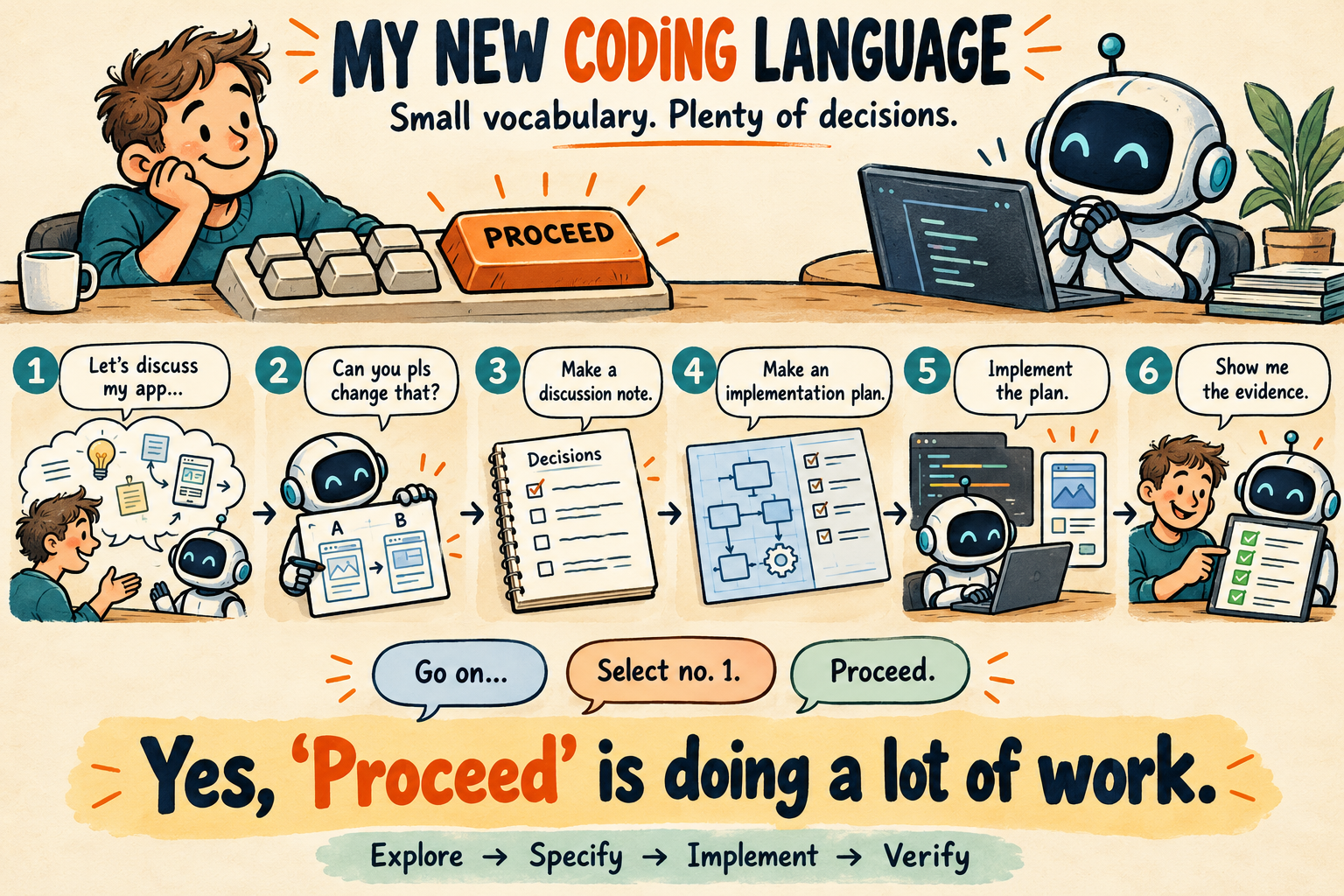
I now remember all the commands in my new coding language:
Me: “Let’s discuss my new app within the following domain: …”
AI: “Here are a few alternatives…”
. . .
Me: “Can you pls change that?”
AI: “Here is a revised suggestion…”
. . .
Me: “Can you make a discussion note?”
AI: “Here are the decisions and open questions…”
. . .
Me: “Can you make an implementation plan?”
AI: “Here are the steps and acceptance criteria…”
. . .
Me: “Can you implement the plan?”
AI: “I’ll implement it and verify the result.”
. . .
Me: “Proceed.”
AI: “Here is the progress…”
. . .
Me: “Proceed”
AI: “There is one choice left. Here are the options…”
- Option 1: .....
- Option 2: ....
Me: “Use option 1.”
AI: “Option 1 selected.”
. . .
AI: "Done."
Me: “What’s next?”
AI: "The next is ......"
Me: “Proceed.”
AI: “Done. Here is the verification evidence…”
Yes, “Proceed” may appear many times. I seem to use that one quite a lot.
There are no semicolons to remember. The spelling is forgiving. Even “pls” compiles—at least conversationally.
It is not a joke, it describes how I work with AI coding agents: explain the problem, discuss alternatives, record decisions, and review what has been built.
What makes those few commands enough to produce something I can trust?
From Vibe to Specification
I use vibe coding here to mean exploring through building: describe an idea, look at the result, react, and try again. Sometimes a working screen reveals a misunderstanding faster than another page of requirements.
By spec-driven coding, I mean making the intended behavior, constraints, and acceptance criteria explicit enough to guide implementation and review.
Exploration helps me find the direction. Specification turns that direction into an agreement I can inspect. The transition often starts with:
“Can you make a discussion note?”
“Let’s Discuss” Opens the Problem
What am I trying to achieve? What already exists? Which assumptions are wrong?
I want the agent to inspect the context and challenge my suggestion when the evidence points elsewhere. We can improve our understanding without changing any code.
Discussion is permission to investigate and reason; implementation needs its own instruction.
“Can You Pls Change ...feature...?” Revises the AI’s Suggestion
“...feature...” refers to an alternative the AI has just suggested. I am asking it to revise the proposal while we are still discussing what to build.
Shared context makes a short command meaningful. When several alternatives are in play, naming the one I mean keeps the decision clear.
A Discussion Note Preserves the Decisions
A useful note records the problem, alternatives, decisions, and open questions. It distinguishes a suggestion from an agreement: “we could replace the storage layer” and “we agreed to replace it” lead to different work.
The note gives us a shared reference that remains understandable after the conversation has moved on.
An Implementation Plan Makes the Work Reviewable
The plan connects intent to a concrete change.
If users should be able to reopen their last workspace, it should explain what state is saved, how current work is preserved, and what happens when the saved workspace no longer exists. It should identify the affected components and how the behaviour will be verified.
That gives me something concrete to approve before implementation begins.
“Can You Implement the Plan?” Changes the Mode
Now I am asking for action. The agreed plan guides the change, and the agent can make routine implementation choices within it.
If the code exposes a false assumption or requires a material change in scope, we need to revisit the agreement. The specification can evolve, but changes to the intended behaviour and acceptance criteria must stay visible.
“Select Option 1” and “Proceed” Carry Authority
“Select no. 1” needs a clear, current set of options.
“Proceed” depends on the proposal it follows. Approving implementation authorises the agreed change; approving deployment authorises the release. A local edit should not quietly become a production deployment.
“Proceed” continues the explanation or the work already agreed. These short commands work because the surrounding agreement carries the detail.
One More Command: “Show Me the Evidence”
I should probably add this one to my vocabulary.
For the workspace example, a unit test might show that saved state can be read. A browser check can show whether the user returns to the right workspace after a reload. We also need to check what happens when that workspace is gone.
The completion report should say what changed, what was checked, and what remains uncertain. The agent’s confidence is not an acceptance criterion.
The Knowledge Behind the Commands
This is where I connect the workflow to Active Knowledge Modelling. Behind a small instruction may sit a model of the work: domain concepts, relationships, processes, roles, rules, inputs, outputs, and conditions of acceptance.
Conversation discovers that knowledge. Notes preserve decisions. Specifications and plans guide implementation. Verification connects the result back to its purpose.
My new coding language has very few commands. Using them well still requires judgement.
I spend less time remembering syntax and more time deciding what I mean, what I am authorising, and how I will know the result is right.
Let’s discuss.